

Smart Thermostat Strategies for Lowering Energy Bills While You’re at Work
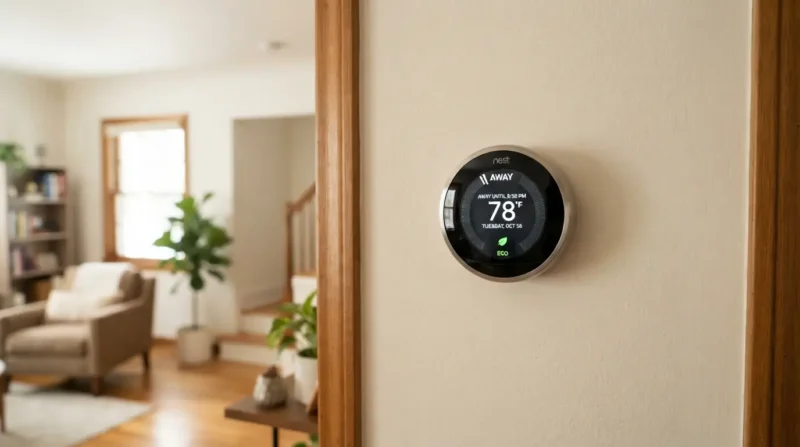
Every morning, millions of homeowners follow the exact same routine: grab coffee, lock the front door, and head out for an eight-to-ten-hour workday. While the house sits empty, an invisible drain silently eats away at their wallets. Keeping an empty home perfectly heated or cooled to active-occupancy comfort levels is one of the single biggest contributors to high utility costs. However, implementing the right smart thermostat strategies can systematically slash your heating and cooling expenses without forcing you to return to a freezing or sweltering house at the end of the day.
At Climate Care, we believe that achieving peak energy efficiency is not just about installing a brand-new, expensive heating and cooling system. Real, sustainable savings stem from the habits you build and how effectively you use the equipment you already own. By mastering the settings on your smart thermostat and understanding the physical dynamics of how heat moves through your home, you can easily shave 10% to 15% off your annual energy bills.
The Physics of Saving: Why “Setbacks” Actually Work
Before diving into programming schedules, we need to address the most common HVAC myth: “Doesn’t it take more energy to cool or heat a house back down than it does to keep it at a constant temperature all day?”
From a purely thermodynamic perspective, the answer is a resounding no.
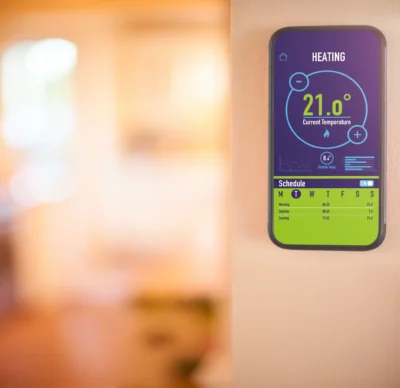 Heat naturally moves from areas of higher concentration to areas of lower concentration. In the winter, the heat inside your home is constantly trying to escape through your walls, windows, and roof. The speed at which this heat escapes depends on the difference in temperature between the inside and the outside.
-
The Constant Temperature Trap: If you keep your home at 70°F when it is 30°F outside, the 40-degree difference creates a high “thermal pressure,” causing heat to escape very rapidly. Your furnace must run frequently to replace that lost heat.
-
The Setback Solution: If you lower your thermostat to 62°F while you are at work, the temperature difference drops to 32 degrees. The rate of heat loss slows down significantly. Over an eight-hour period, your home loses less total energy, meaning your heating system has to do far less work to bring the temperature back up to 70°F when you return than it would have to keep it there all day.
The same rule applies in reverse during our humid Connecticut summers. Letting your home warm up while you are at work slows the rate of heat entering your house, protecting your AC unit from working in overdrive during the hottest peak hours of the early afternoon.
Step-by-Step Programming Strategies for Your Workday
To capture these savings, you need to establish a programmatic baseline. Let’s look at how to set up your target temperatures depending on the season.
1. The Winter Strategy (The Heating Setback)
In the colder months, the goal is to lower the indoor temperature during your away hours without causing your pipes to freeze or your system to struggle when recovering.
-
When You Leave (The Setback): Set the thermostat to 60°F to 62°F approximately 30 minutes before you head out the door.
-
The Warm-Up (The Recovery): Program the recovery phase to start 30 to 45 minutes before you get home. This gives the system enough time to bring the house back to a comfortable 68°F using the most efficient heating cycles, rather than forcing it to run on emergency heat or high-stage operation.
2. The Summer Strategy (The Cooling Setup)
When the summer humidity hits, you want to prevent your air conditioner from cycling unnecessarily when no one is home to feel it. Learn more about optimizing your system by reading up on the best thermostat settings for comfort and savings.
-
When You Leave (The Setup): Set your smart thermostat to 78°F when you leave for the day.
-
The Cool-Down: Program your system to start cooling back down to your preferred comfort level (typically 72°F to 74°F) shortly before your commute home begins.
4 Advanced Smart Features You Should Enable Today
Modern smart thermostats do far more than follow a basic clock-based schedule. If you own a Nest, Ecobee, Honeywell, or similar smart device, make sure you are utilizing these built-in features to optimize your workday savings.
Geofencing
Geofencing uses your smartphone’s location to determine when you are home and when you are away. Instead of relying on a rigid schedule that doesn’t account for late nights at the office, impromptu grocery store trips, or early dismissals, geofencing adjusts your HVAC system automatically.
When your phone crosses a virtual boundary (for example, 3 miles away from your house), the thermostat automatically enters “Away Mode” and triggers your energy-saving setback temperature. As you cross that same boundary on your way back home, the thermostat kicks back into “Home Mode,” initiating the recovery process so the house is comfortable the moment you walk through the door.
Smart Recovery (Predictive Heating/Cooling)
Classic programmable thermostats start heating or cooling at the exact time you program. If you set your comfort temperature for 5:30 PM, the system turns on at 5:30 PM, leaving you shivering or sweating for the first half-hour of your evening.
Smart thermostats feature predictive algorithms (often called “Smart Recovery” or “Early On”). Over its first few weeks of operation, your device learns exactly how long it takes your specific home to heat up or cool down based on the outdoor weather. If you want it to be 68°F at 5:30 PM, the thermostat calculates whether it needs to turn on at 4:45 PM or 5:00 PM to hit that exact target with maximum efficiency.
Multi-Sensor Management
A common issue in multi-story or older homes is uneven heating and cooling. Your thermostat might be located in a drafty hallway, while your home office upstairs is freezing.
By utilizing remote smart sensors, you can tell your thermostat to ignore its main wall sensor during specific parts of the day and instead prioritize the temperature of the rooms you actually occupy. When you are away at work, you can set the system to monitor the average temperature of the whole house to prevent extreme hot or cold spots, keeping energy consumption strictly regulated.
Humidity Control and “Cool to Dry”
Air conditioning isn’t just about lowering air temperature; it is also about removing moisture. On highly humid days, a home at 75°F with high humidity can feel much warmer than a home at 77°F with low humidity.
Many smart thermostats feature a “Cool to Dry” setting. If you are away at work, you can set your AC to a higher temperature but allow the system to run short, low-energy dehumidification cycles if the indoor relative humidity climbs above 55%. This keeps your home feeling fresh, prevents mold growth, and ensures your AC doesn’t have to work twice as hard to combat heavy, moisture-laden air when you get home.
Fine-Tuning Your Home for Maximum Thermostat Efficiency
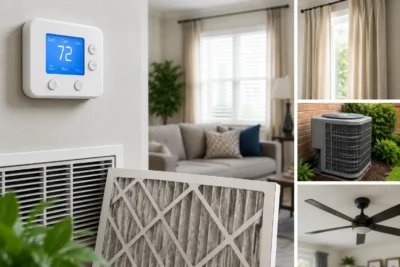 Even the smartest thermostat in the world can’t save you money if your home is actively leaking conditioned air. To get the absolute most out of your smart thermostat strategies, combine your programming with these simple, high-yield household habits.
Manage Your Window Coverings
Your windows are thermal transition zones. During the winter, keep your curtains and blinds wide open on south-facing windows before you leave for work. This allows natural sunlight to flood your home, providing free solar heating that assists your furnace.
In the summer, do the exact opposite: close all drapes, blinds, and shades before leaving for work to block out solar heat gain, keeping your home naturally cooler while you are away.
Check Your Air Filters Monthly
A dirty, clogged air filter acts like a wall inside your ductwork. It restricts airflow, forcing your blower motor to work significantly harder and consume more electricity to move air through your home.
By simply inspecting your air filter once a month and replacing it when it starts looking gray or dusty (usually every 60 to 90 days), you maintain optimal system airflow. This allows your smart thermostat’s recovery cycles to run faster and much more efficiently.
Seal Leaks Around Doors and Windows
If you can feel a draft near your entryways, your heating and cooling system is constantly paying to condition the outdoor air. Grab a few rolls of weatherstripping and some silicone caulk from your local hardware store. Sealing up gaps around exterior doors and window frames prevents your setback air from escaping, stabilizing your indoor temperature and maximizing your overall energy savings while you’re at work.
When to Call the Professionals at Climate Care
Taking control of your daily habits and programming your smart thermostat is the best way to start lowering your monthly energy bills. However, if you find that your home is struggling to reach your programmed temperatures, or if your utility bills remain stubbornly high despite your best efforts, there may be an underlying issue with your HVAC system’s performance.
At Climate Care, we are proud to serve homeowners across Connecticut with honest, expert heating and cooling services. We don’t believe in pushy sales tactics. Our goal is to help you find the most reliable, energy-efficient comfort solutions for your home.
Whether you need a professional heating system service to prepare your home for freezing winter weather, a comprehensive air conditioning tune-up to keep things running efficiently in the summer, or a complete expert thermostat installation to upgrade your home’s automation capabilities, our certified technicians are here to help.
If you live in Greenwich, Westport, New Canaan, or any of our neighboring communities, feel free to reach out to our team to schedule local heating installation and diagnostics to ensure your system is fully optimized.